Python Tkinker App Multi-tool: Password Generator, Image Grabber and Website Pinger
Built a desktop application using Python and Tkinter featuring a password generator, web image grabber, and website status checker. This project helped me practise GUI development, user input handling, HTTP requests, file management, and working with multiple Python libraries in a single application.
Overview
This project is a desktop application built with Python and Tkinter that combines three utilities into a single interface: a password generator, a web image grabber, and a website availability checker. The goal was to practise GUI development, user input handling, networking, and working with external Python libraries while creating something practical.
Skills Demonstrated
- Python programming
- GUI development with Tkinter
- Object-oriented programming
- User input validation
- HTTP requests
- Web scraping fundamentals
- Working with APIs and URLs
- Exception handling
- File handling
- Password generation
Tools Used
- Python
- Tkinter
- Requests
- BeautifulSoup4
- Pillow (PIL)
- VS Code
Process
Password Generator
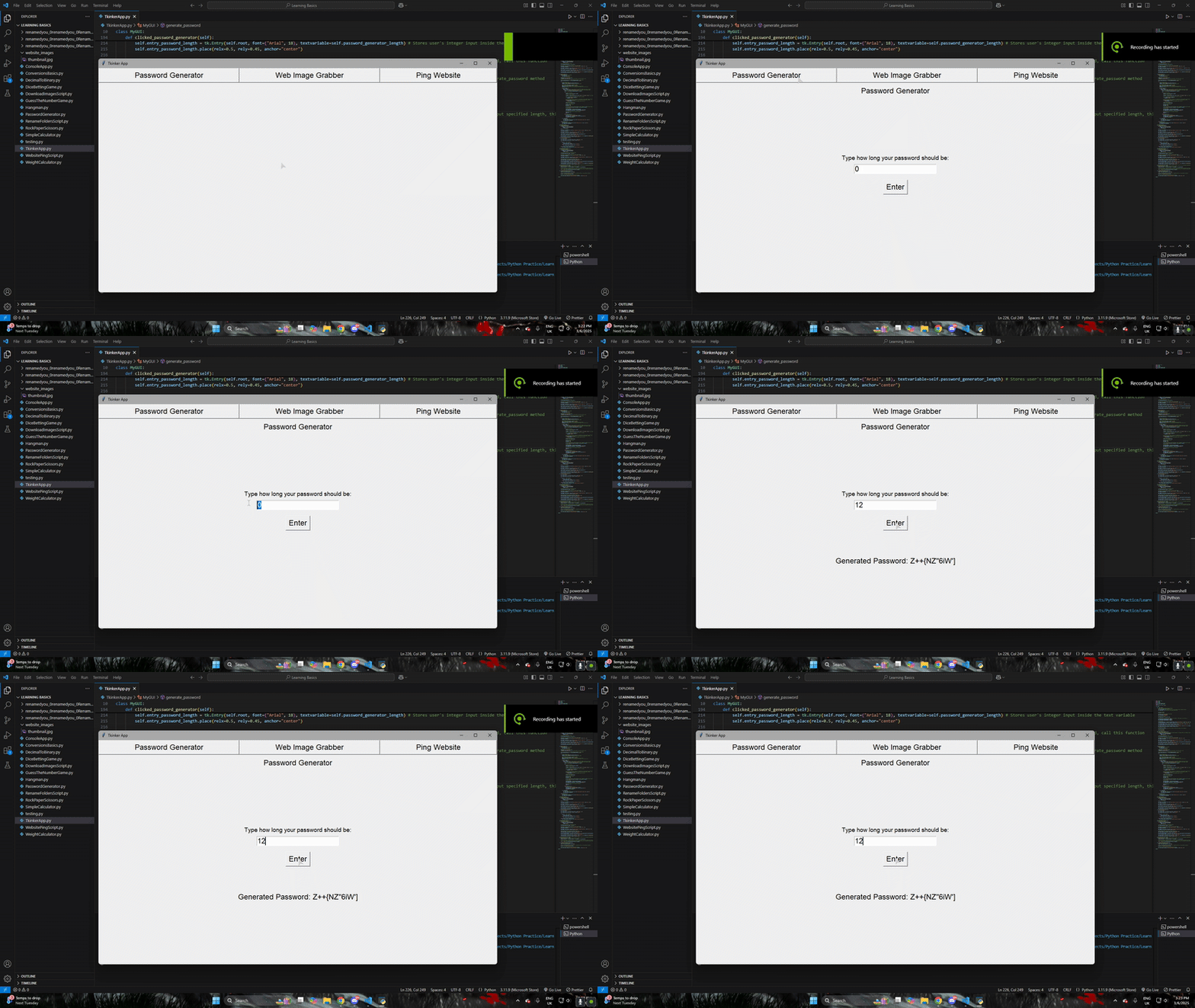
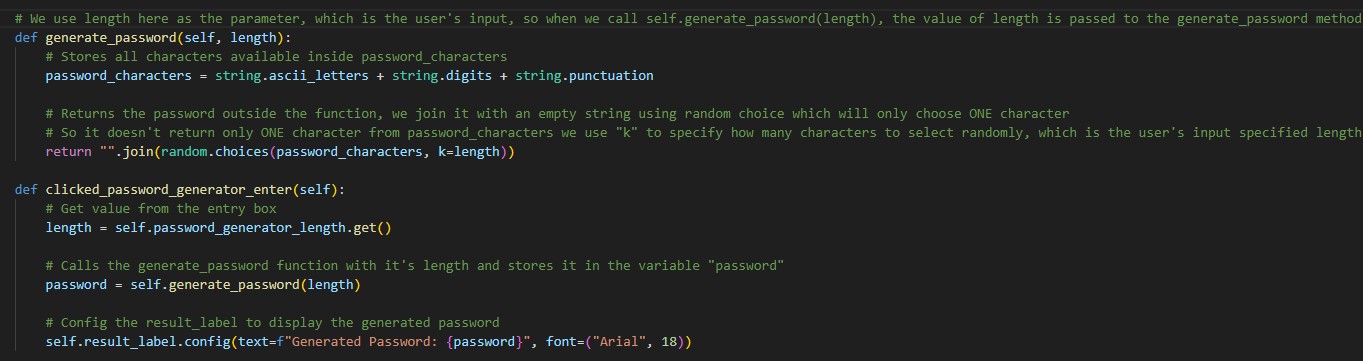
The password generator asks the user to enter the desired password length. Once submitted, the application randomly selects letters, numbers and special characters to generate a password matching the requested length.
Web Image Grabber
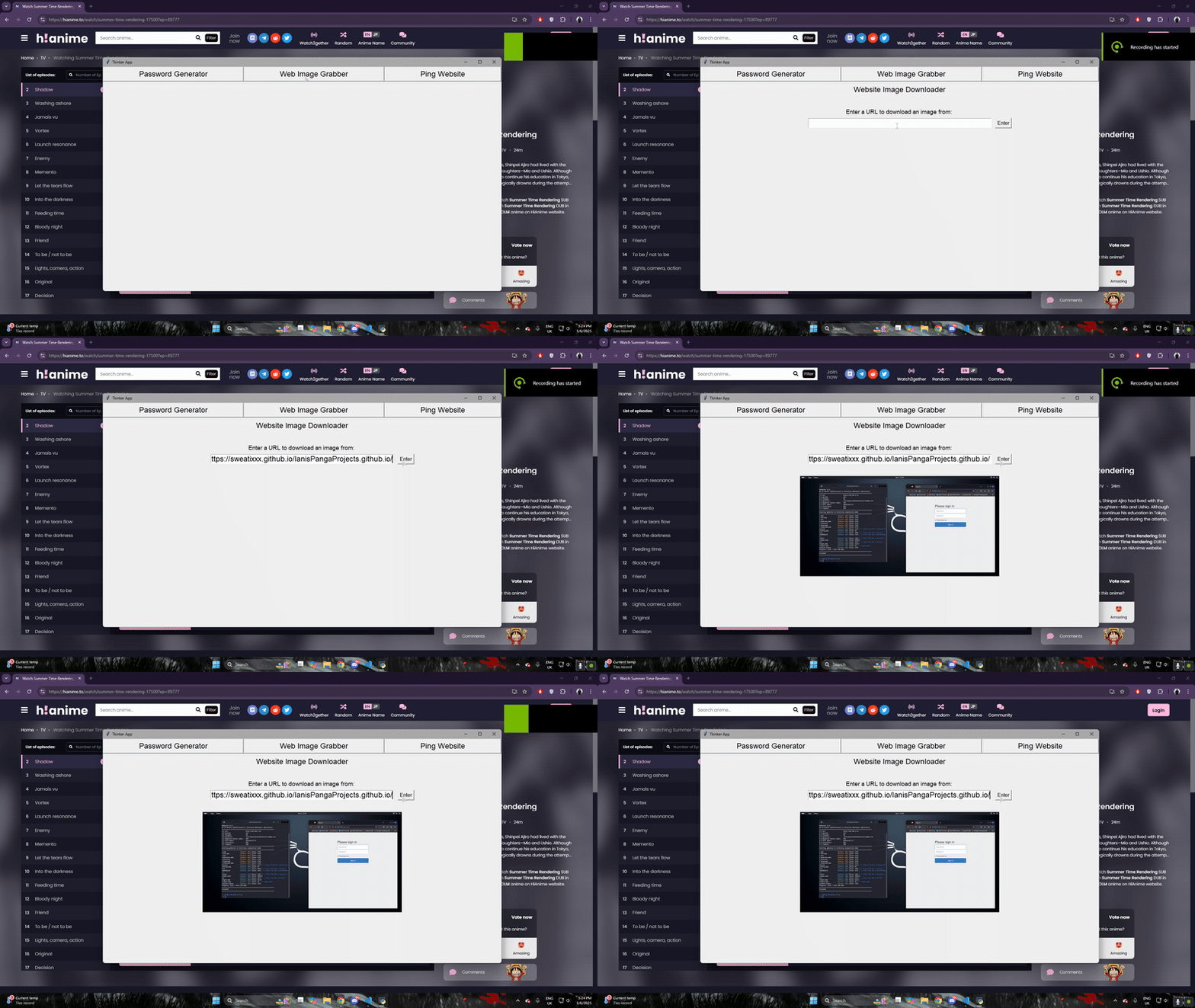
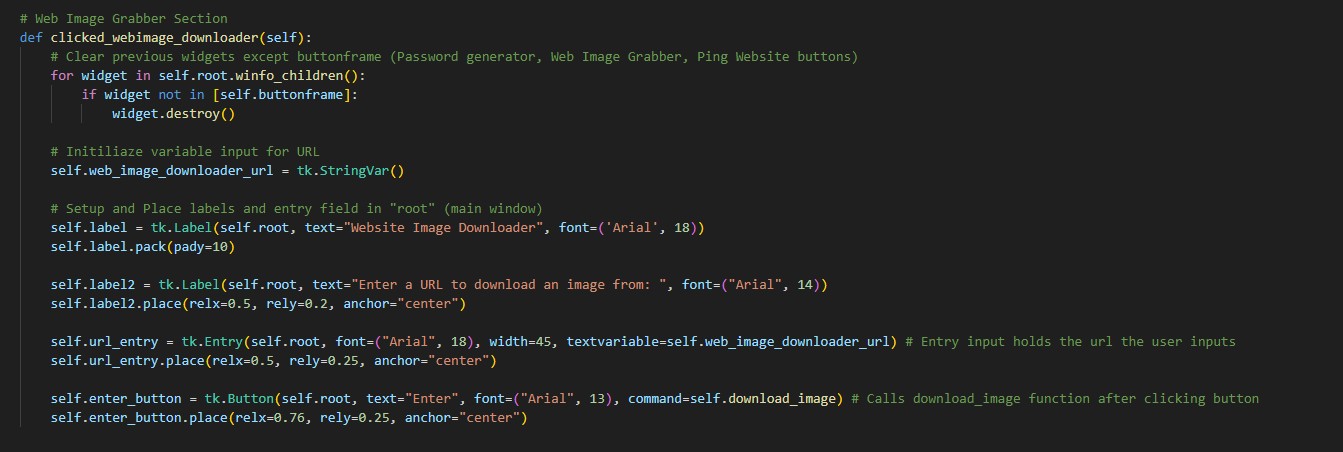
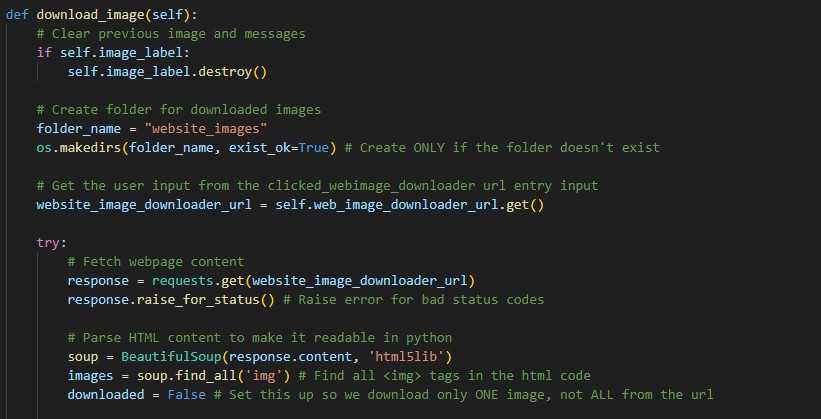
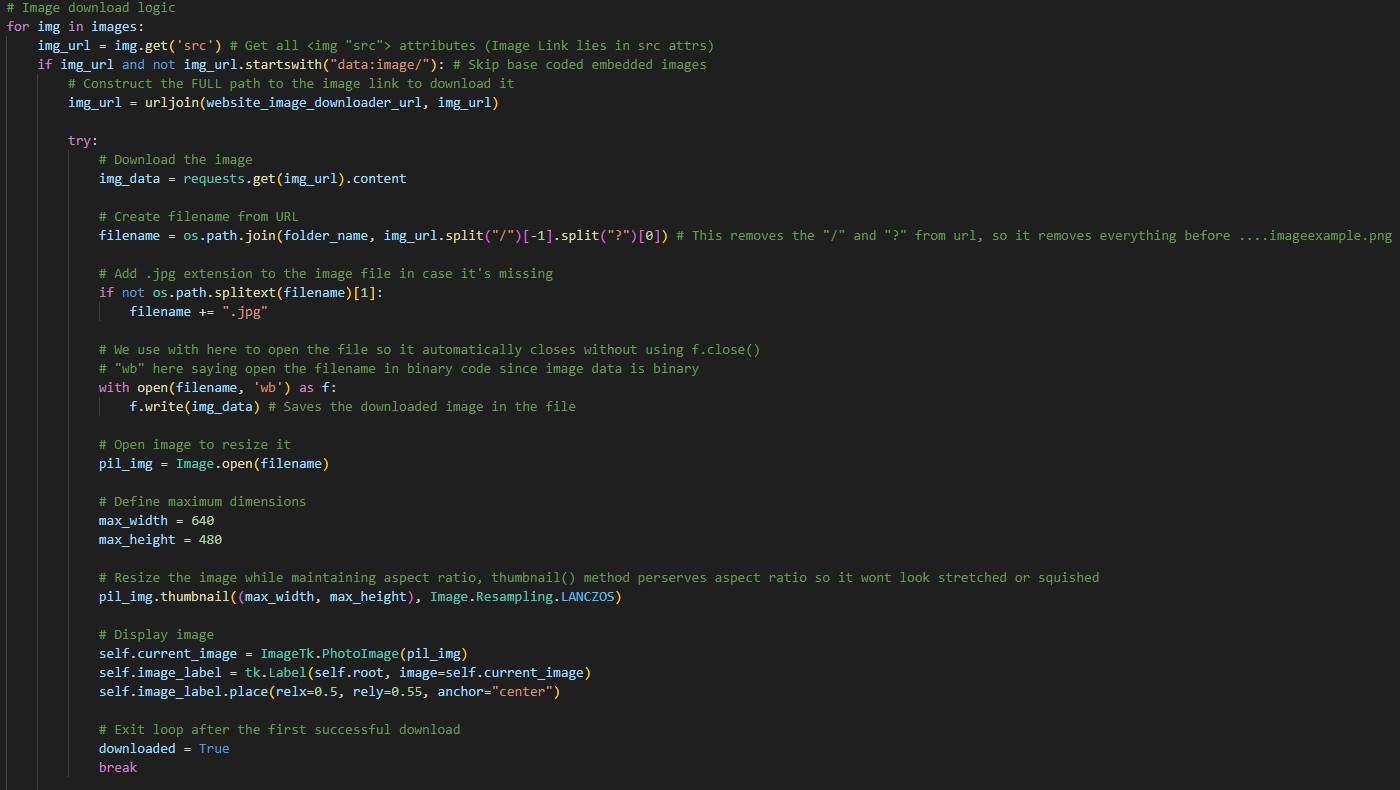
The Web Image Grabber allows the user to enter any webpage URL. The application downloads the webpage, searches for image tags using BeautifulSoup, and downloads the first available image onto the user's computer. The downloaded image is also displayed inside the application for convenience.
Website Pinger
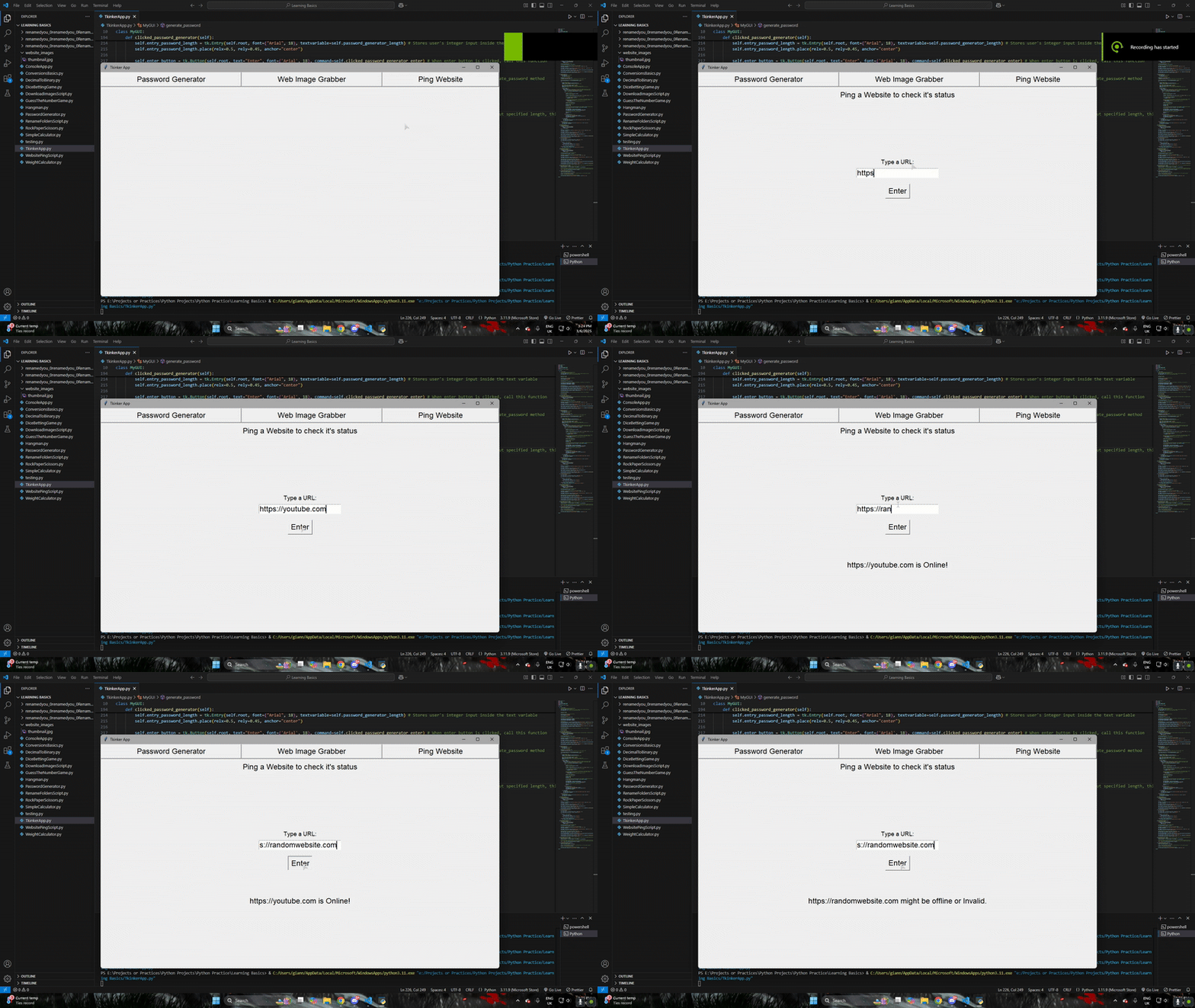
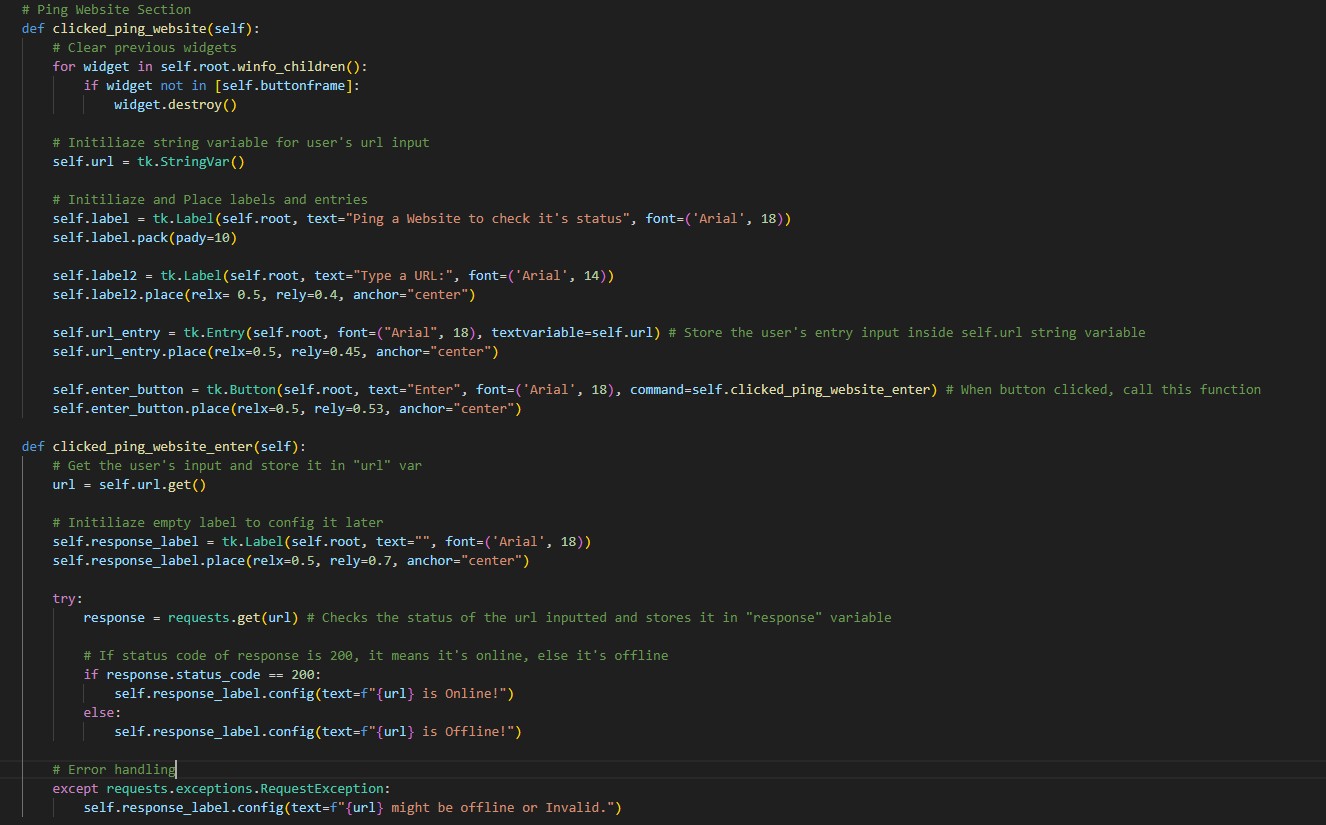
The Website Pinger checks whether a website is currently online. After entering a URL, the application sends an HTTP request using the Requests library and reports whether the website responded successfully. Invalid or unreachable URLs are handled using exception handling so the application doesn't crash.
Code Breakdown
Building the Interface
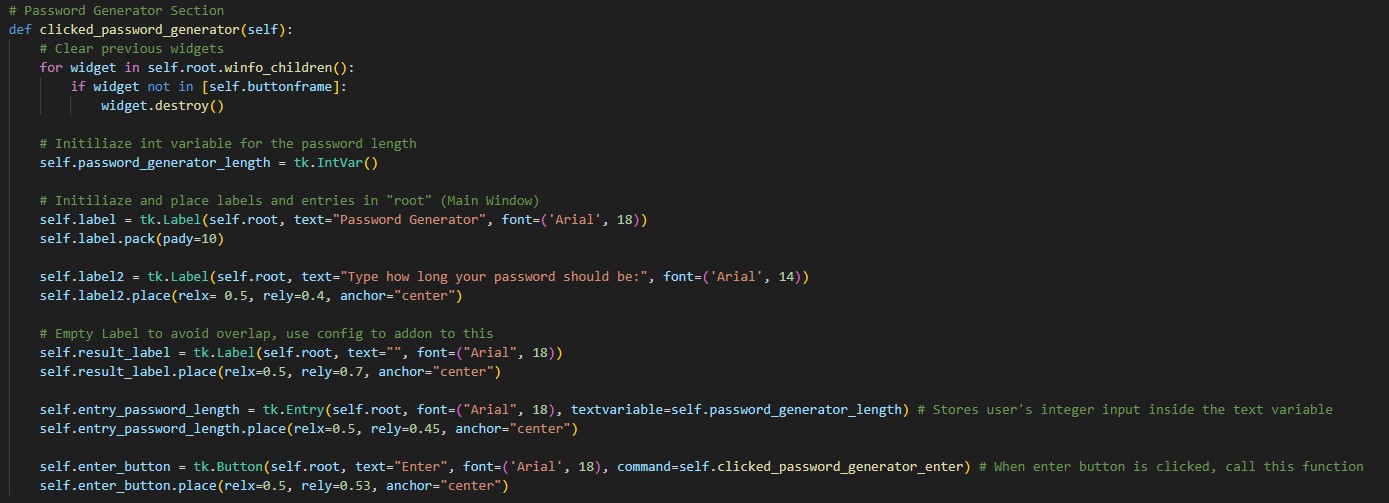
Each tool uses the same main window, but when switching between tools the previous widgets are removed before creating new ones. This prevents different sections from overlapping while keeping the navigation buttons visible throughout the application.
Password Generation Logic
The password generator uses Python's built-in string module to access letters, numbers and punctuation. These characters are combined into a pool, and random.choice() selects characters until the requested password length has been reached before displaying the finished password on screen.
Checking Website Status
The Website Pinger sends an HTTP request using the Requests library. If the website responds successfully, the application displays that it is online. Invalid URLs, connection failures and other network errors are handled using try and except, allowing the program to continue running instead of crashing.
Downloading Images
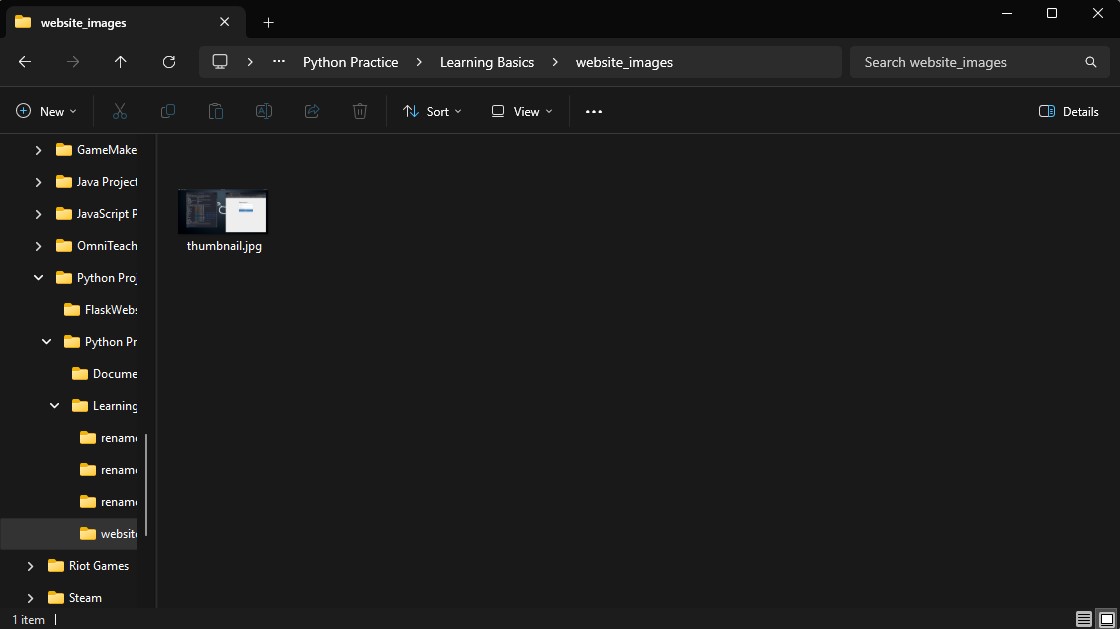
The Web Image Grabber downloads the HTML of the webpage and uses BeautifulSoup to locate image tags. The application retrieves the first valid image, saves it into a local folder and displays it inside the application after resizing it to fit the interface.
Here's the local file it saved the imaged to.
What I Learned
Building this application helped me become much more comfortable with Python GUI development using Tkinter. I learned how to work with multiple Python libraries in a single project, handle user input, make HTTP requests, scrape webpages, download files and display images inside a desktop application. It also gave me more confidence organising larger Python projects by separating different features into their own functions while keeping everything working together in one interface.