GhostShift: A Secure E-Commerce Web Application
Built a functional e-commerce website from scratch using PHP, MySQL and JavaScript. Developed secure authentication with password hashing and implemented protections against common web attacks including SQL injection.
Overview
NOTE: THE WEBSITE PROVIDED ABOVE IS THE DEMO VERSION, NOT FINAL.
GhostShift is a secure e-commerce web application created as part of a web development project. The website allows users to browse Japanese car parts, search products, add items to a shopping cart, register accounts and place orders through a fully functional checkout system. Alongside building the shopping experience itself, I wanted to focus heavily on backend development and web security. The application uses PHP and MySQL to manage user accounts, products and orders while implementing protections against common web attacks such as SQL injection and session hijacking. Although the final school submission included additional backend files that I no longer have, the project remains available on GitHub as a working demonstration of the frontend, shopping cart and core functionality.
Skills Demonstrated
- PHP backend development
- MySQL database design
- HTML5 & CSS3
- JavaScript
- User authentication
- Password hashing
- Prepared SQL statements
- Session management
- Shopping cart development
- Search functionality
- Input validation
- Basic web security
Tools Used
- PHP
- MySQL / phpMyAdmin
- JavaScript
- HTML5
- CSS3
- VS Code
- GitHub
Process
Building the Store
I started by creating the frontend of the website, designing a simple online store where users could browse Japanese car parts, search products and add them to a shopping cart. I wanted the website to behave like a real online shop rather than just displaying static products.
Shopping Cart & Checkout
I implemented a shopping cart that dynamically updates as products are added or removed. Users can review their selected items before entering their shipping details and placing an order. When an order is submitted, the backend stores the purchase inside the MySQL database, demonstrating how frontend forms communicate with a backend server.
User Authentication
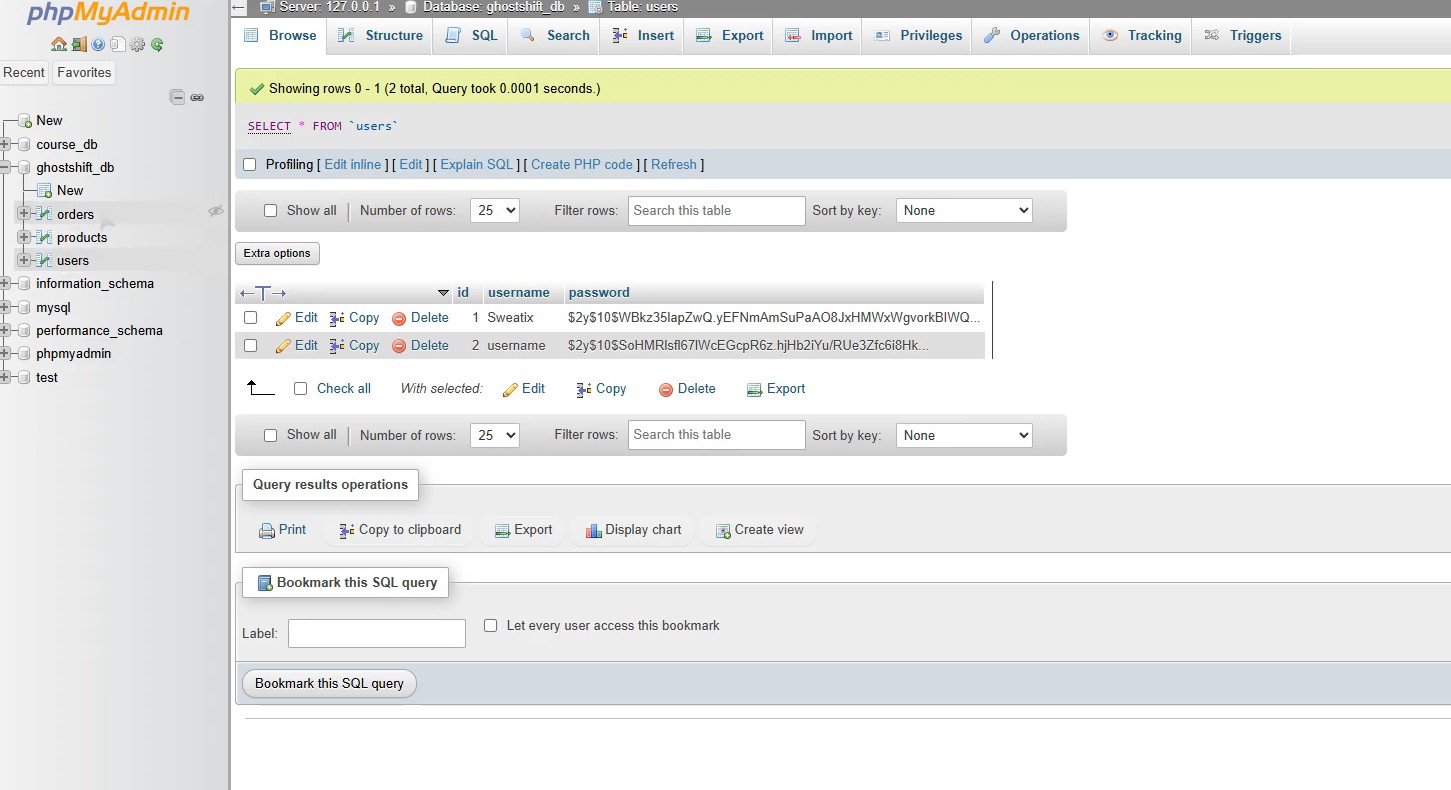
To allow users to register and log in, I built a basic authentication system using PHP and MySQL.
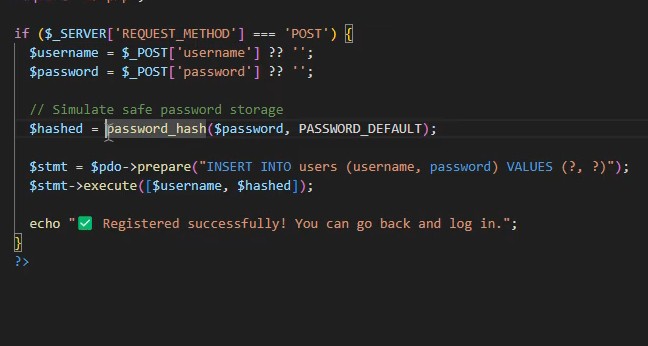
Rather than storing passwords as plain text, passwords are securely hashed before being inserted into the database. During login, PHP verifies the entered password against the stored hash before creating a user session.
Database Integration
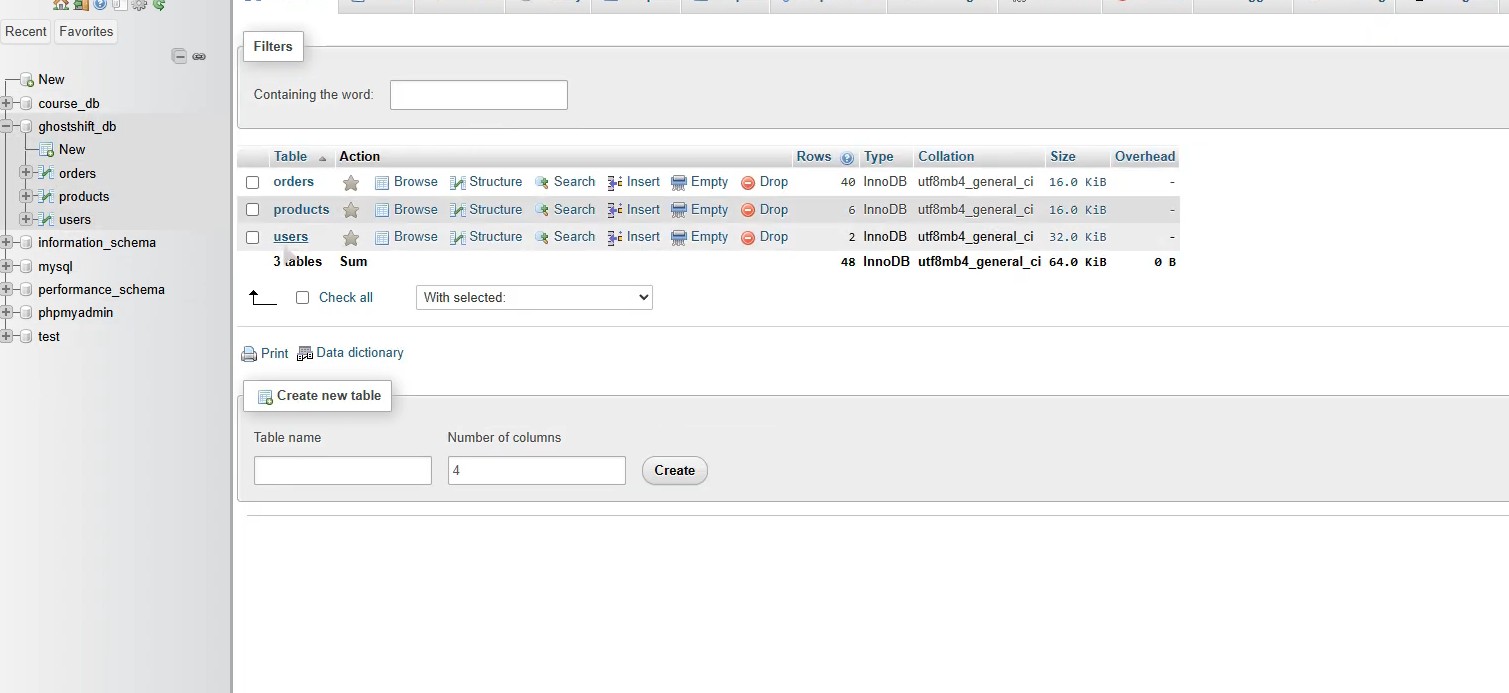
The application uses multiple MySQL tables to separate users, products and customer orders.
PHP handles communication between the website and the database, allowing products to be searched, users to authenticate and orders to be stored automatically.
Security Features
One of the main goals of this project was learning how common web attacks work and how to defend against them.
To improve the security of the application, I implemented:
- Password hashing using PHP's password hashing functions.
- Prepared SQL statements to prevent SQL injection attacks.
- Session regeneration after login to reduce the risk of session hijacking.
- Input validation throughout the application.
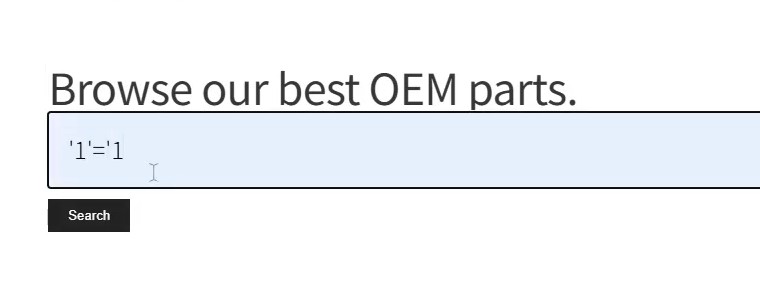


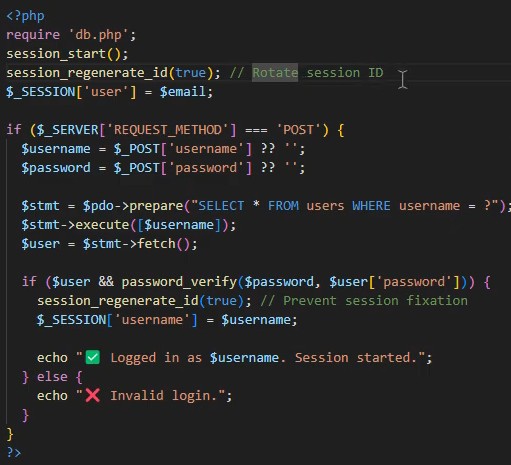
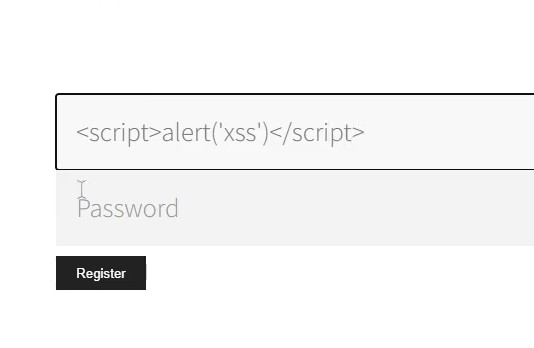
While demonstrating the project, I also researched XSS protection. Although the final login page wasn't fully protected due to time constraints, I understood how PHP's htmlspecialchars() function could be used to safely render user input and prevent injected scripts from executing.
What I Learned
This project really changed how I looked at web development because it was the first time I built something that combined frontend design, backend programming, databases and security into one application. I became much more comfortable using PHP to communicate with MySQL, designing relational databases, building authentication systems and implementing security measures that I'd previously only read about. It also introduced me to secure coding practices like password hashing, prepared statements and session management. While I didn't fully finish the XSS protection before submitting the project, researching it helped me understand how web applications should safely handle user input, and it's something I've continued applying in later projects. Looking back, this was one of the projects that really made backend web development "click" for me.